
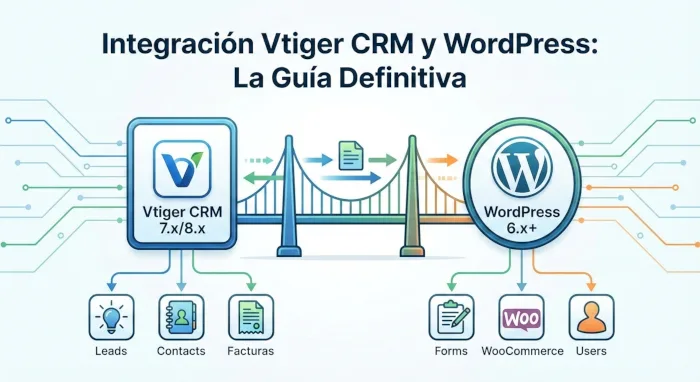
Integration of vTiger CRM with WordPress
In the 2026 digital ecosystem, having your website and CRM disconnected is like having a salesperson who doesn't write down their customers' phone numbers. If you use WordPress as your content engine and vTiger CRM (in its 7.x or the now-established 8.x versions) to manage your sales, integration is not a luxury—it is an operational survival necessity.
Next, at vTigerSpain we analyze the best modules and methods to ensure these two powerhouses speak the same language.
1. Featured Modules and Methods
A. vTiger Webforms (The Native Method)
This is the 'out-of-the-box' solution offered by vTiger. It doesn't require installing heavy plugins in WordPress, as it works by embedding HTML code.
Features: Lead and Contact capture directly from simple forms.
Compatibility: vTiger 7.x/8.x and any WordPress version (including 6.x+).
Price: Free (Included in the vTiger core).
Installation: Generate the form in the vTiger 'Webforms' module, copy the HTML code, and paste it into a 'Custom HTML' block in WordPress.
B. Leads Builder for CRM (by Smackcoders)
Probably the most popular plugin in the WordPress repository for this purpose.
Features: Probably the most popular plugin in the WordPress repository for this purpose.
Compatibility: vTiger 7.x/8.x and WordPress 6.4 and up.
Price: Limited free version; Pro version starting at $99 (One-time payment or annual subscription depending on the plan).
Installation: Install it as a standard plugin from the WordPress dashboard and connect it using your CRM URL and the user's Access Key.
C. WooCommerce vTiger Integration (by IT-Solutions4You / VTExperts)
If you run an e-commerce store, this is the 'scalpel' you need.
Features: Bidirectional synchronization of Customers, Products, Sales Orders, and Invoices. If a customer makes a purchase in WP, the invoice is automatically created in vTiger.
Compatibility: Optimized for vTiger 8.x and WooCommerce 8.x+.
Price: * VTExperts: Included in their 'Extension Pack' for 69$/month.
IT-Solutions4You: Approximately 140$ – 180$ (Perpetual license with limited support).
Installation: Requires installing a module in the CRM and configuring the WooCommerce API Keys within the extension's control panel.
2. Solution Comparison Table (2026)
| Feature | Native Webforms | Leads Builder (Smackcoders) | WooCommerce Sync |
| Perfect for... | Simple contact forms | Advanced Lead Capture | Online stores (Sales/Stock) |
| Synchronization | One-way (Web -> CRM) | One-way / Bidirectional (Pro) | Full Bidirectional |
| Difficulty | Low | Medium | High (Requires API) |
| vTiger 8.x | Completely compatible | Completely compatible | Completely compatible |
3. Quick Integration Guide (Step-by-Step)
If you have decided on an API-based integration (the most robust option), these are the general steps:
In vTiger: Go to 'My Preferences' and copy your Access Key. Ensure the user has edit permissions for the modules you intend to synchronize.
In WordPress: Install your chosen plugin (ex. WP-vTiger).
Conecction: Enter your vTiger URL (ex.
https://micrm.com) and the username along with the Access Key.Mapping: Select which form field (e.g., 'Nombre') corresponds to which field in vTiger (e.g., 'First Name').
Test: Perform a test submission. If the record appears in the Leads module in less than 5 seconds, you're all set!
Conclusion
For simple lead generation, the native vTiger 8.x Webform has significantly improved its security (spam prevention) and remains the top choice regarding cost. However, for companies seeking full automation or managing online stores, investing in modules from IT-Solutions4You or the VTExperts pack VTExperts pays for itself in less than a month, thanks to the time saved on manual data entry.
Expert Note: Before any installation, ensure that your WordPress server has the
cURLlibrary enabled and that the firewall is not blocking outgoing requests to your CRM’s IP address.
